
Square Invoices: Invoice Maker
Block, Inc.Business
4.73.90K Reviews
- Version
- 7.22.1
- Installs
- 1.00M
- Age Rating
- Everyone
Screenshots

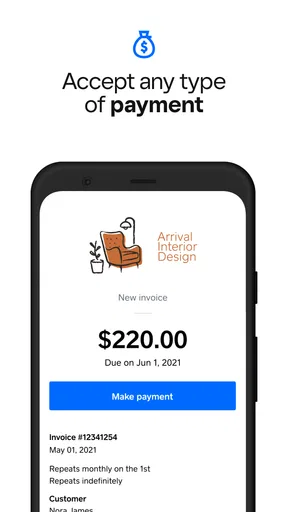
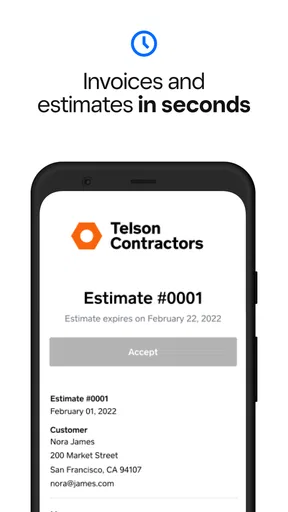
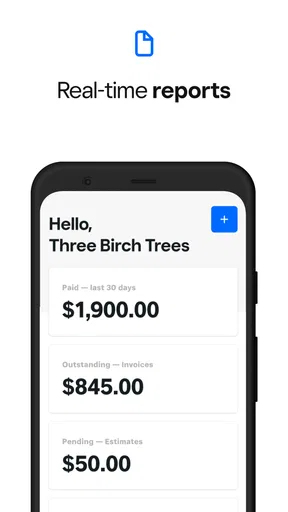
Our Review of Square Invoices: Invoice Maker
 Analysis by Appyee
I use Square Invoices: Invoice Maker as a practical business tool rather than a full back-office system. Its strength is keeping the everyday path from estimate to invoice to payment close at hand: for a small business owner who handles client work directly, that can make billing feel less like a separate administrative project. The app is free to download, and Square, Inc. is the developer behind it. Its 4.7 average from around 20,000 ratings suggests it has found an audience, but whether it suits you depends more on how you bill than on its popularity.
Where it fits in a working day
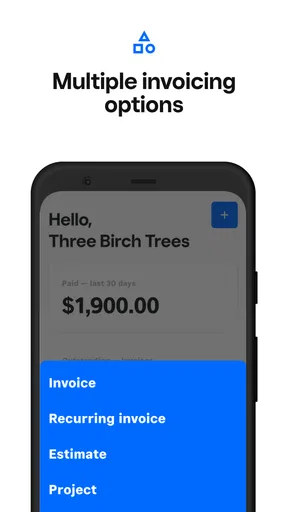
The app is aimed at business invoicing, bills, estimates, expenses, and payments. That puts it in a useful middle ground between writing invoices manually and adopting a broad accounting suite. I’d consider it for a consultant, tradesperson, independent service provider, or small team that needs to prepare client-facing documents and keep an eye on whether they have been paid. It is less compelling if your main need is deep financial reporting, complex approval chains, or managing a large operation from one system.
A realistic example: I finish a small job, send the customer an estimate, and later need to bill for the agreed work. Keeping those steps in one business app can reduce the chance that I overlook a follow-up or have to reconstruct the amount from scattered notes. Before sending anything, I’d still check the customer details, description, and totals carefully. A convenient workflow does not replace a final review, especially when a mistaken invoice can create confusion for both sides.
What its current version tells me
The app was released in 2019, and its current version is 6.96. That version number indicates a product that has continued through multiple iterations, though a number alone cannot tell me which individual tools changed or how a particular workflow evolved. I treat it as a sign of ongoing product development, not as proof that every feature is new or that every user will notice a major change.
For someone already using it, the practical question is whether the current release still supports the way they create and manage invoices. I’d review the app after updating, especially if billing is time-sensitive: confirm that saved client details, recurring work, and any routine steps still behave as expected before relying on them for a busy day. For a new user, the more useful test is a small, low-stakes invoice rather than trying to migrate an entire billing process at once.
Useful habits beyond the obvious
One non-obvious way to get more value from an invoicing app is to decide on a consistent level of detail before you start. For repeat work, I’d use clear descriptions that make sense to the client later, not shorthand that only I understand. That helps when a customer asks what a charge covered or when I need to compare a new estimate with an earlier job. I would also separate the work description from any message to the client, so the actual scope remains easy to scan.
Another helpful habit is to treat estimates as a conversation checkpoint, not merely a document to send. I’d make sure the customer understands what the quoted work includes before turning it into a bill. If the scope changes, I’d record the change clearly rather than assuming the original estimate still tells the whole story. This is particularly useful for service work where the final effort can shift after an on-site visit or a client request.
Trade-offs and who should look elsewhere
Square’s appeal is strongest when I want a direct route to client billing and already use, or am willing to use, Square’s business tools. A spreadsheet can be more flexible for someone who wants to design a very particular tracking system, while dedicated accounting software may be a better fit for someone who needs a broader view of bookkeeping and financial statements. Those alternatives can involve more setup, but they may suit a business whose billing is only one piece of a larger accounting process.
I would also think carefully before choosing this app if several people need tightly controlled access or if every invoice must pass through a formal review process. A mobile-first invoicing workflow can be convenient, but convenience is not the same as a custom approval system. Likewise, a business that sends unusually complex bills should test whether its preferred level of itemization and presentation feels adequate before moving all client billing into the app.
Costs, fit, and expectations
The download is free, but the app includes in-app purchases priced at $20.00 per item. I would check what an in-app purchase covers in the context of my own workflow before treating the app as entirely cost-free. For a sole proprietor who sends occasional invoices, even a small paid option can be worth considering if it saves repeated admin time; for someone comparing several tools, the relevant question is the total cost of the workflow, not merely the download price.
It is rated for Everyone and requires Android 9 or later. Those details make it easier to judge basic device and audience fit, but they do not decide whether the app suits a particular business. I’d also ask practical questions before committing: Can I create the documents in the format my clients expect? Does the payment process work for the customers I serve? Can I keep the bookkeeping detail I need elsewhere if this app is not my accounting hub? Trying one ordinary billing cycle is a sensible way to answer those questions without disrupting established records.
With more than a million installs, Square Invoices is clearly used by many businesses, but I would not choose it on that basis alone. I’d choose it when simple, mobile-friendly billing is the actual problem I’m trying to solve and when the Square ecosystem fits the rest of my setup. If I need highly tailored documents, extensive accounting controls, or a workflow built around multiple reviewers, I’d compare alternatives first. For straightforward client work, though, it can be a sensible place to bring estimates, invoices, and payment tracking together.
Why Square Invoices Stands Out
First off, the Square Invoices app is incredibly user-friendly. You don't need to be a tech whiz to navigate through its features. The app offers a clean and intuitive interface that makes creating and sending invoices a breeze. Whether you're a freelancer or running a small business, this tool adapts to your needs with ease.
Features That Make Life Easier
One of the standout features is the ability to customize invoices. You can add your logo, choose from various templates, and even include personalized messages. This not only adds a professional touch but also strengthens your brand identity. Plus, the app allows you to save recurring invoices, which is a massive time-saver for those ongoing projects.
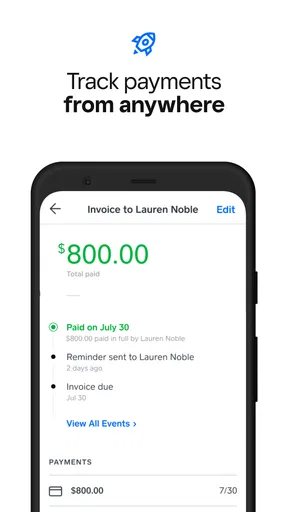
Another neat feature is the real-time tracking. Once you've sent an invoice, you can see when it's been viewed and paid. This transparency helps in managing follow-ups and ensuring timely payments. No more awkward conversations asking if your invoice was received!
Integration and Payments
Now, let's talk about integrations. Square Invoices seamlessly connects with other Square services, which is a huge plus if you're already in their ecosystem. It also integrates with popular accounting software, helping you keep all financial records in sync.
When it comes to receiving payments, the app supports various methods including credit cards, debit cards, and even digital wallets. This flexibility ensures your clients have a hassle-free payment experience, which, let's face it, is crucial for getting paid on time.
Security and Support
Security is always a concern when dealing with financial transactions. Thankfully, Square uses advanced encryption to keep your data safe. Their customer support is also top-notch. Whether you reach out via phone, email, or chat, the response is swift and helpful.
One personal tip: take advantage of their support resources. They offer tutorials and webinars that can help you maximize the app's potential.
Room for Improvement?
While the app is pretty robust, there are a couple of areas where it could improve. For instance, the initial setup can be a bit tedious if you're not familiar with invoicing software. However, once you get the hang of it, the process becomes much smoother.
Additionally, while the customization options are decent, I'd love to see more templates and styles to choose from. A little variety can go a long way in keeping your invoices fresh and engaging.
Final Thoughts
All in all, Square Invoices: Invoice Maker is a fantastic tool for anyone looking to streamline their invoicing process. It's reliable, easy to use, and packed with features that cater to both beginners and seasoned professionals. If you've been struggling with invoicing, give this app a shot. It might just be the solution you've been searching for.
Verdict
Strengths of Square Invoices: Invoice Maker
- User-friendly interface for quick setup.
- Customizable invoice templates available.
- Seamless integration with Square services.
- Supports multiple payment methods.
- Real-time invoice tracking and updates.
Limitations of Square Invoices: Invoice Maker
- Limited customization options for branding.
- Recurring invoices not fully automated.
- Requires Square account for full features.
- Basic features only in free version.
- No offline functionality for invoicing.
Other Releases by Block, Inc.
View All


Similar Picks in This Category
View All
LinkedIn: Community & Network
LinkedIn3.8

Zoom Workplace
zoom.com4.1

Microsoft Teams
Microsoft Corporation4.6

Meta Business Suite
Meta Platforms, Inc.4.6

Webex Meetings
Cisco Systems, Inc.4.5

TeamViewer Remote Control
TeamViewer4.4
Frequently Asked Questions
What features does Square Invoices: Invoice Maker offer?
Square Invoices: Invoice Maker provides users with a comprehensive set of features including customizable invoice templates, recurring billing, payment tracking, and integration with Square’s payment processing services. The app also offers automated reminders for overdue payments and supports multiple currencies, making it suitable for businesses operating internationally.
Is Square Invoices: Invoice Maker suitable for small businesses?
Yes, Square Invoices: Invoice Maker is particularly beneficial for small businesses. It simplifies invoice management by offering an easy-to-use interface, and its integration with Square’s payment system ensures secure and prompt transactions. Additionally, the app’s scalability allows it to grow alongside your business, accommodating more complex needs as required.
How secure is the payment processing with Square Invoices?
Square Invoices prioritizes security by using end-to-end encryption and strong fraud prevention measures. All payment data is securely stored and managed, ensuring both you and your clients’ information remain protected. Regular security updates and compliance with industry standards further enhance the app’s reliability in handling sensitive payment information.
Can I use Square Invoices: Invoice Maker offline?
Square Invoices: Invoice Maker requires an internet connection to send invoices and process payments. However, you can draft invoices offline and they will automatically send once a connection is reestablished. This ensures you can continue working even in areas with limited connectivity, without losing any critical data.
Does Square Invoices support integration with other tools?
Yes, Square Invoices supports integration with various business tools, including accounting software like QuickBooks and Xero. This enables seamless data synchronization and streamlines financial management processes. Additionally, the app can connect with customer relationship management (CRM) tools to enhance client interactions and service delivery.
